

We@FHSS
The Faculty’s app for students and academic staff at the Faculty of Humanities and Social Sciences, University of Sri Jayewardenepura.
It carries your timetable, your attendance and your results. That covers most of what the notice board was for.
Coming soon to the App Store and Google Play.

Who it is for
We@FHSS is for people who already hold a University account: enrolled undergraduates and academic staff of the Faculty.
You cannot sign up. Accounts come from the University of Sri Jayewardenepura, for local and international students alike.
The University closes an account when a student graduates or withdraws. Arrive without one and the app has nothing to show you.
What you can do
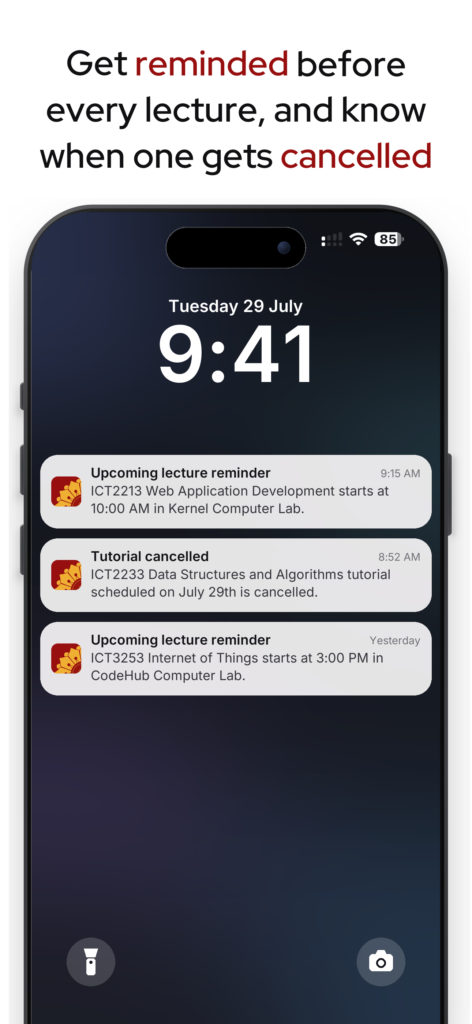
Never miss a lecture
A reminder an hour before class, then another fifteen minutes before it starts.
If a lecture moves or gets cancelled, you find out before you have walked to the wrong hall.
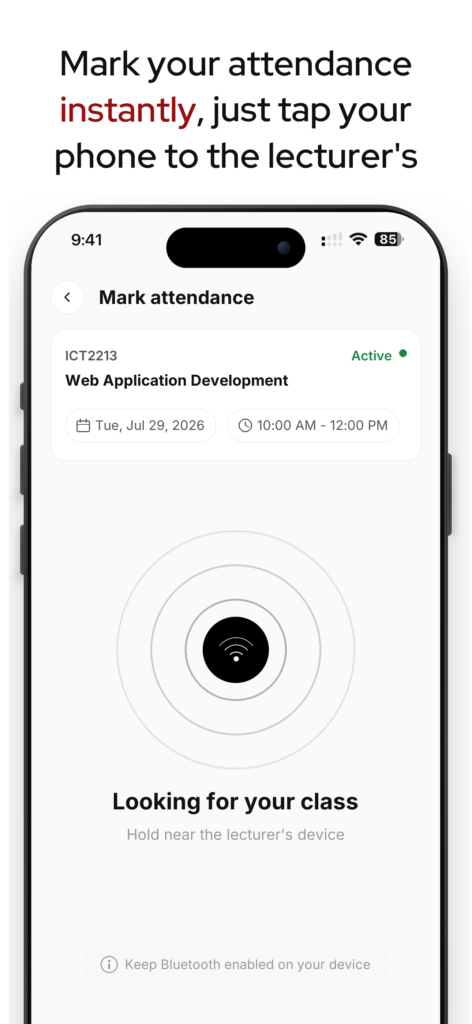
Mark attendance in the hall
Your lecturer’s phone puts out a short-range Bluetooth signal and yours answers it, but only while the class is running.
The sheet stops going round the room. The app never reads your location.
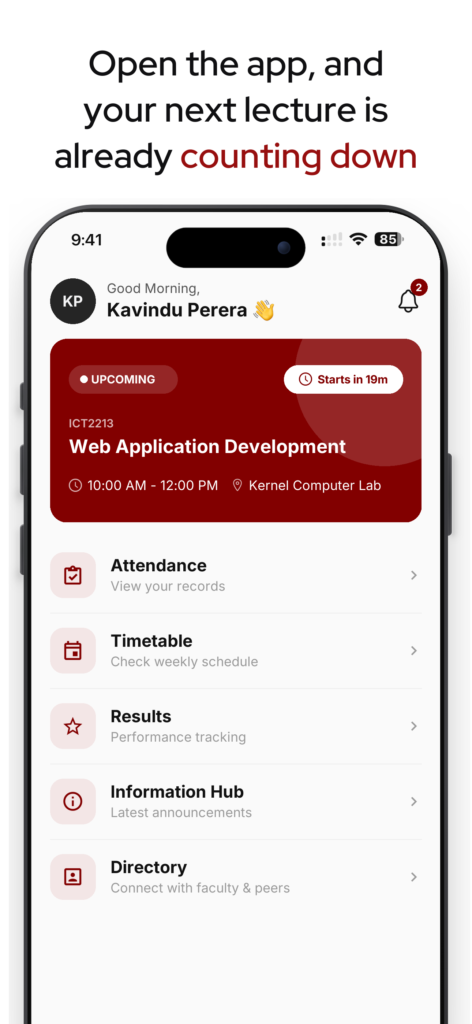
What is on today
Open the app and the first thing on screen is the class you are in, or the one you are about to be late for.
Anything the Faculty has posted since you last looked sits underneath it.
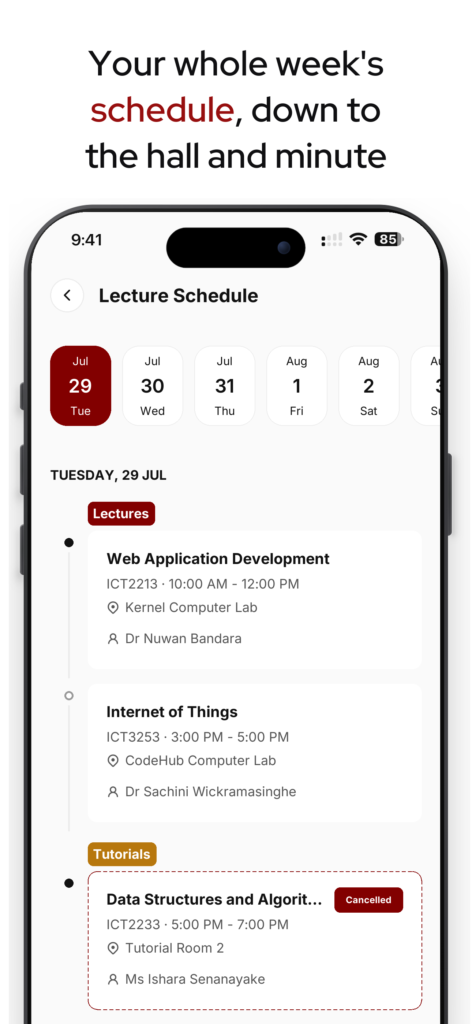
Your whole timetable
Every lecture scheduled for your batch.
When the Faculty moves one or calls it off, your timetable changes with it.
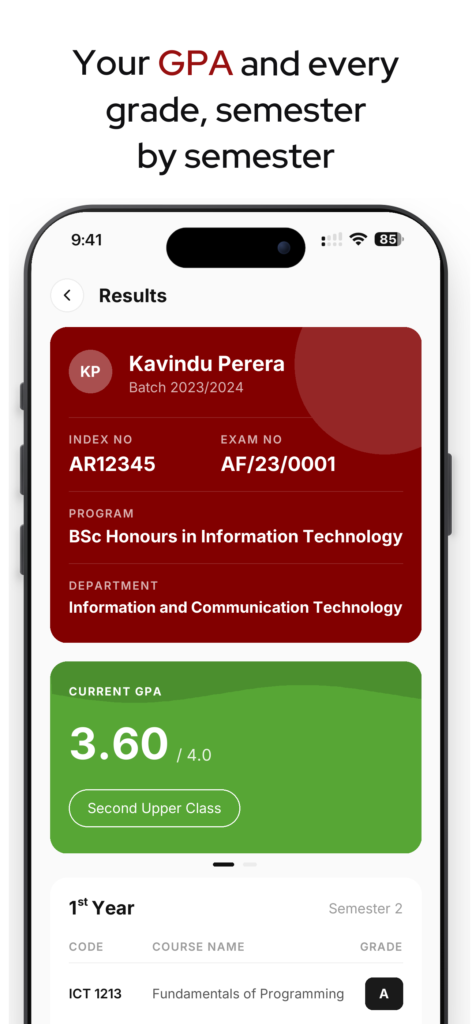
Results when they are released
Course results appear here once the Faculty releases them.
How to get access
Install it and sign in with your University account. It is the same account you use for everything else at the University, so the credentials you already have will work.
If your account has not been issued yet, or you cannot get in, write to the Faculty ICT unit.
Need help?
Most of what goes wrong has a short answer. If yours is not here, the Faculty ICT unit will sort it out.
Use your Faculty account (Which ends with @fhss.sjp.ac.lk domain), not a personal email address
If it is rejected, the account may not have been issued yet, or it may have been closed because you graduated or withdrew. Visit CDEPD/FHSS to get this resolved.
Three things have to be true: Bluetooth is on, you are inside the hall, and the class has started. Marking only runs while the lecture is live.
Rooted, jailbroken or modified devices will not mark at all.
If none of that explains it, tell your lecturer during the class so the record can be corrected, then visit CDEPD/FHSS to get this resolved.
Open your device settings and check that notifications are allowed for We@FHSS, and that battery saving is not holding the app back in the background.
Signing out and back in registers your device again.
The app shows what the Faculty has published, and the University’s own records are what count.
If something looks wrong, raise it with your department, or visit CDEPD/FHSS to get this resolved.
The Faculty closes accounts when a student graduates or formally withdraws, and access to the app ends there.
Data is kept for a limited period afterwards, as set out in our Privacy Policy.
The Privacy Policy explains what the app collects and how long it is kept.
For anything it does not cover, including requests to see or correct your data, email ict.fhss@sjp.ac.lk.
Any other We@FHSS related issue? Visit CDEPD/FHSS to get that resolved.
Legal
Our Privacy Policy covers what the app collects and how long it is kept.
Our Terms and Conditions cover the rules that apply when you use it.
We@FHSS is provided by the Faculty of Humanities and Social Sciences, University of Sri Jayewardenepura.
Last updated: 5 August 2026.